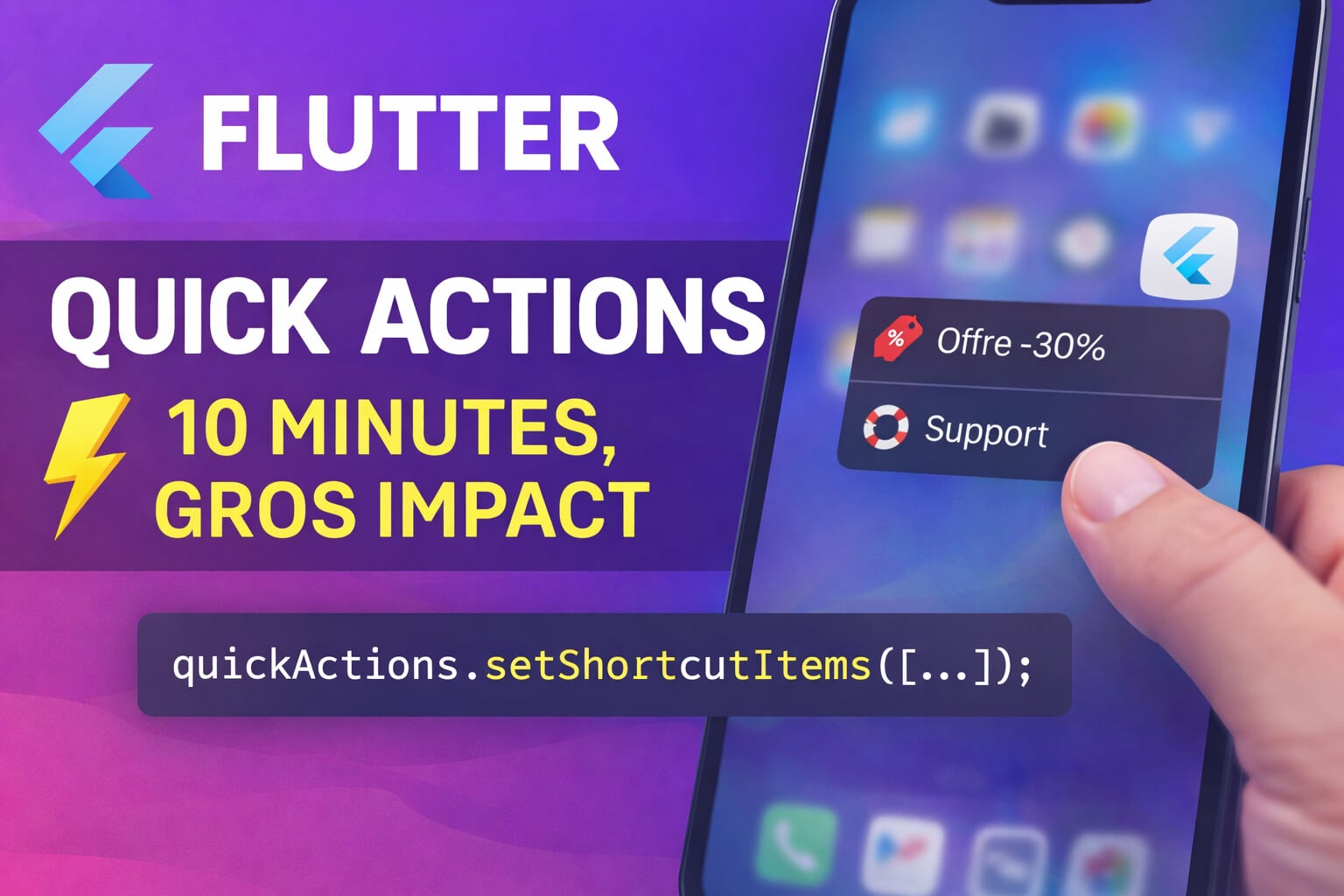
Flutter Quick Actions: 10 minutes, big impact
Sommaire
- 1) Why it works
- 2) What is a Quick Action (iOS) / App Shortcut (Android)?
- 3) Examples everyone has already seen
- 4) Ideas for Quick Actions
- 5) Flutter setup (with GoRouter)
- 6) Common pitfalls (and how not to spend your evening on them)
- 7) Measuring impact (otherwise it's just "nice")
- 8) Checklist and conclusion
- Useful links
We often spend an indecent amount of time polishing "big features". And then, sometimes, a micro-action hidden in a corner reminds you that in product... timing > complexity.
Today we're talking about Quick Actions: the menu that appears when you do a long press on your app icon.
In Flutter, with the quick_actions package, you can integrate them quickly and hook them into your routing (GoRouter) without creating a mini-architecture of evil. (Dart packages)
1) Why it works
Quick Actions have a superpower: they allow you to add a "high-value" action without adding another screen to an already loaded flow.
The best use: reduce friction at the moment when the user is already intent-driven. Typically: they want to manage their subscription, restore a purchase, contact support... or "just" access a key feature.
2) What is a Quick Action (iOS) / App Shortcut (Android)?
On iOS, Apple talks about Home Screen quick actions: shortcuts to actions in your app from the home screen. On Android, the equivalent concept is based on App Shortcuts (static / dynamic / pinned).
And on the Flutter side, quick_actions gives you 2 building blocks:
initialize(): a callback called when the app is launched via a shortcut.setShortcutItems(): the list of your actions (type, label, icon...).
3) Examples everyone has already seen
Apple gives very illustrative examples from a user perspective:
- Camera → Selfie
- Maps → Send my location
- Notes → New note
The pattern is simple: these are not "features", they are frequent intentions. And it helps you choose yours: a Quick Action should save the user time.
4) Ideas for Quick Actions
A good filter: if the user clicks, does it really help them? If yes, you can allow yourself a small business lever along the way.
Subscription / revenue-oriented ideas
- "Special offer -30%" → opens your paywall with a pre-selected promo.
- "Upgrade to Premium" → opens your upgrade screen (simple, clear, no dark patterns).
- "Restore my purchases" → you save iOS/Android users who change phones (and thus support tickets).
Retention / trust-oriented ideas
- "Support / Report a bug" → opens a short form (or a chat if you have one).
- "FAQ / Help" → opens a help page "top 5 questions".
- "Give feedback" → opens your internal feedback screen (and only then you push to the store).
On Android, the docs recommend being restrained: even if the API supports up to 15 shortcuts (static + dynamic), they recommend publishing 4 for better readability.
5) Flutter setup (with GoRouter)
Goal: working copy/paste, and clean routing. We'll do a "Subscription offer" example accessible from the long press.
Dependencies
dependencies:
  quick_actions: ^1.1.0 # (check la version au moment d'écrire)
  go_router: ^14.0.0
quick_actions is used to declare and listen to actions.
go_router is used to route properly to a screen (with parameters if needed).
The router (GoRouter)
import 'package:flutter/material.dart';
import 'package:go_router/go_router.dart';

final GoRouter router = GoRouter(
  routes: <RouteBase>[
    GoRoute(
      path: '/',
      builder: (context, state) => const HomeScreen(),
    ),
    GoRoute(
      path: '/paywall',
      builder: (context, state) {
        final offer = state.uri.queryParameters['offer']; // ex: discount30
        final src = state.uri.queryParameters['src'];     // ex: quick_action
        return PaywallScreen(offer: offer, source: src);
      },
    ),
    GoRoute(
      path: '/support',
      builder: (context, state) => const SupportScreen(),
    ),
  ],
);
GoRouter handles routes, query params, deep links, etc.
Hooking up Quick Actions + navigation
import 'package:flutter/material.dart';
import 'package:quick_actions/quick_actions.dart';

class AppBootstrap extends StatefulWidget {
  const AppBootstrap({super.key});

  @override
  State<AppBootstrap> createState() => _AppBootstrapState();
}

class _AppBootstrapState extends State<AppBootstrap> {
  final QuickActions _quickActions = const QuickActions();

  @override
  void initState() {
    super.initState();

    // 1) Écoute des actions (à init le plus tôt possible)
    _quickActions.initialize((String shortcutType) {
      // Évite de naviguer "au mauvais moment" (app pas encore rendue)
      WidgetsBinding.instance.addPostFrameCallback((_) {
        _handleQuickAction(shortcutType);
      });
    });

    // 2) Déclaration des actions
    _quickActions.setShortcutItems(const <ShortcutItem>[
      ShortcutItem(
        type: 'offer_discount',
        localizedTitle: 'Offre -30%',
        icon: 'ic_discount', // ressource native (iOS xcassets / Android drawable)
      ),
      ShortcutItem(
        type: 'support',
        localizedTitle: 'Support',
        icon: 'ic_support',
      ),
    ]);
  }

  void _handleQuickAction(String type) {
    switch (type) {
      case 'offer_discount':
        router.go('/paywall?offer=discount30&src=quick_action');
        break;
      case 'support':
        router.go('/support?src=quick_action');
        break;
      default:
        // no-op
        break;
    }
  }

  @override
  Widget build(BuildContext context) {
    return MaterialApp.router(
      routerConfig: router,
    );
  }
}
The package recommends initializing early, and reminds that:
typemust be unique.iconmust be the name of a native resource (iOS xcassets / Android drawable).
If you want to see a minimal "official" example, the package example shows exactly this pair initialize() + setShortcutItems().
6) Common pitfalls (and how not to spend your evening on them)
Android: it compiles on SDK 16+, but...
The plugin runs on Android SDK 16+, but shortcuts are a no-op below Android 7.1 (SDK 25). So: don't base a critical flow on this, and plan a fallback (button in the app, profile menu, etc.).
Icons disappearing in release builds
If your Android drawables are referenced "only" in Dart, the shrinker can remove them. The package README mentions this and links to the Android docs on how to explicitly "keep" these resources.
Navigating too early (cold start)
When the app is launched via a Quick Action, you can receive the callback very quickly.
The addPostFrameCallback in the example avoids cases where you navigate before the router is ready.
7) Measuring impact (otherwise it's just "nice")
If you want to know whether your "Offer -30%" Quick Action is useful, aim for simplicity:
quick_action_triggered(type)paywall_viewed(source=quick_action, offer=discount30)purchase_completed(source=quick_action)
Then compare:
- paywall conversion rate with
src=quick_action - Quick Action usage rate (per week)
- support impact (if you add a "Support" shortcut)
8) Checklist and conclusion
If you had to take away one rule: 4 actions max, and each must be defensible in one sentence. Your labels should be short, and your actions should lead to a page that "does the job" directly.
Checklist :
- 2 to 4 Quick Actions max
- native icons OK (iOS + Android)
- safe navigation (post-frame)
- minimal tracking (3 events)
- business action only if it also brings value (otherwise it's obvious)
Useful links
Comments
Loading...